
Enquiries and bookings
Every enquiry, from first message to booked
Enquiries arrive on WhatsApp, by phone and at your office. If they live in chats and notebooks, some are never followed up. Enquiries keeps every customer in one list with a clear status, so you always know who to call next.
How it works
- Open Enquiries.
- Add a booking with + Add booking, or open an enquiry that came in.
- Move it through Contacted, Quoted and Booked as you go.
- Record payments and send the documents from the same enquiry.
What you get
A clear pipeline
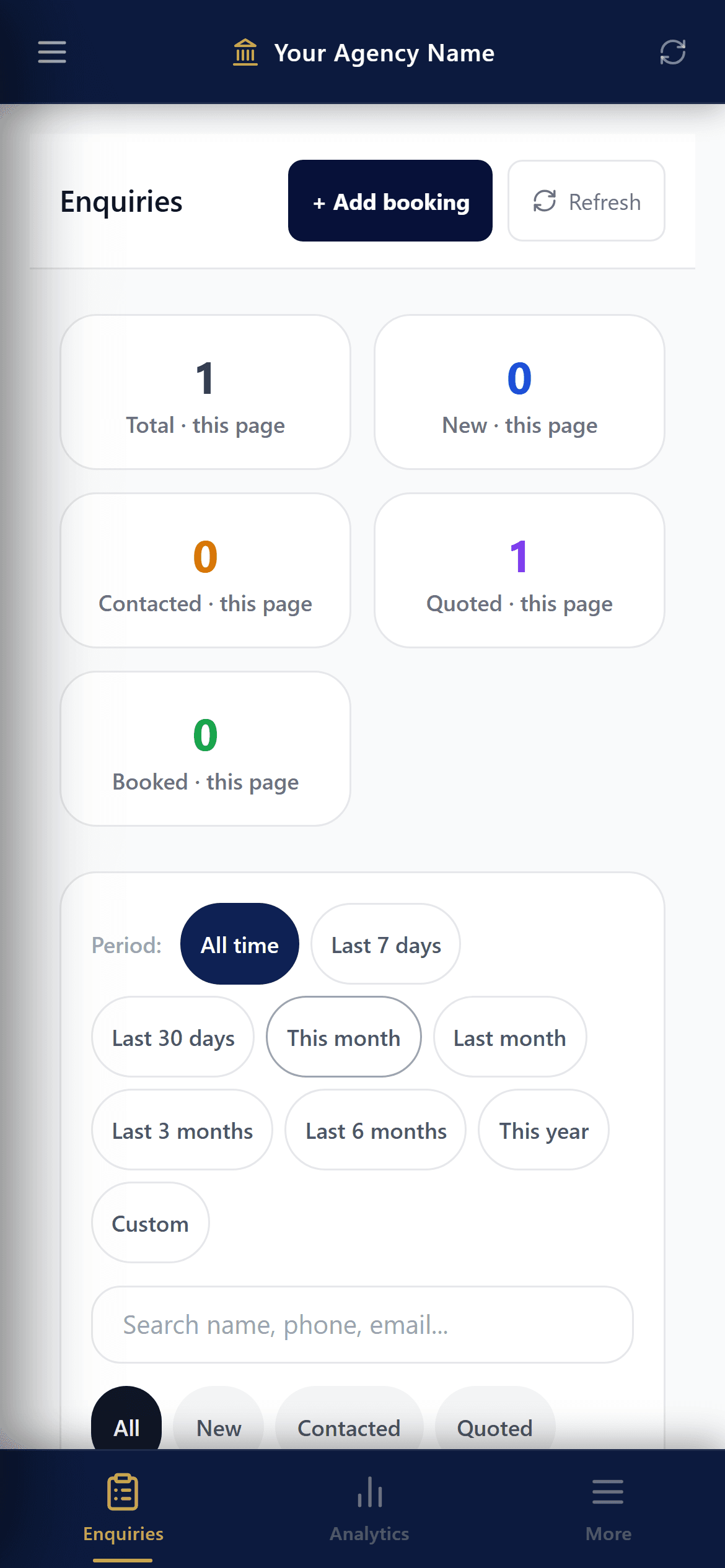
New, Contacted, Quoted, Booked and Closed. See how many are at each stage for any period.
Walk-in and phone bookings
Add a booking by hand with + Add booking: travellers, dates and the selling price of each service.
Find anyone in seconds
Filter by period, status and destination, sort by newest or highest budget, and search by name, phone or email.
Status emails in your name
Let the customer know their booking moved forward, from your agency's name.
Documents and payments in the same place
Each booking has its invoice, ticket, hotel voucher and payments with receipts.
Export to Excel
Download the list as a CSV file whenever you need it.
Questions
Can staff see my supplier costs on a booking?
Only if you give them the Costs & profit access in Team. Sales staff can work on enquiries without seeing what you pay.
Can I delete an enquiry by mistake?
Deleted enquiries go to a Deleted list first, and only people with the Delete things access can delete.